Best Monitor Arms for Tall People (2026 Buying Guide)
INTRODUCTION
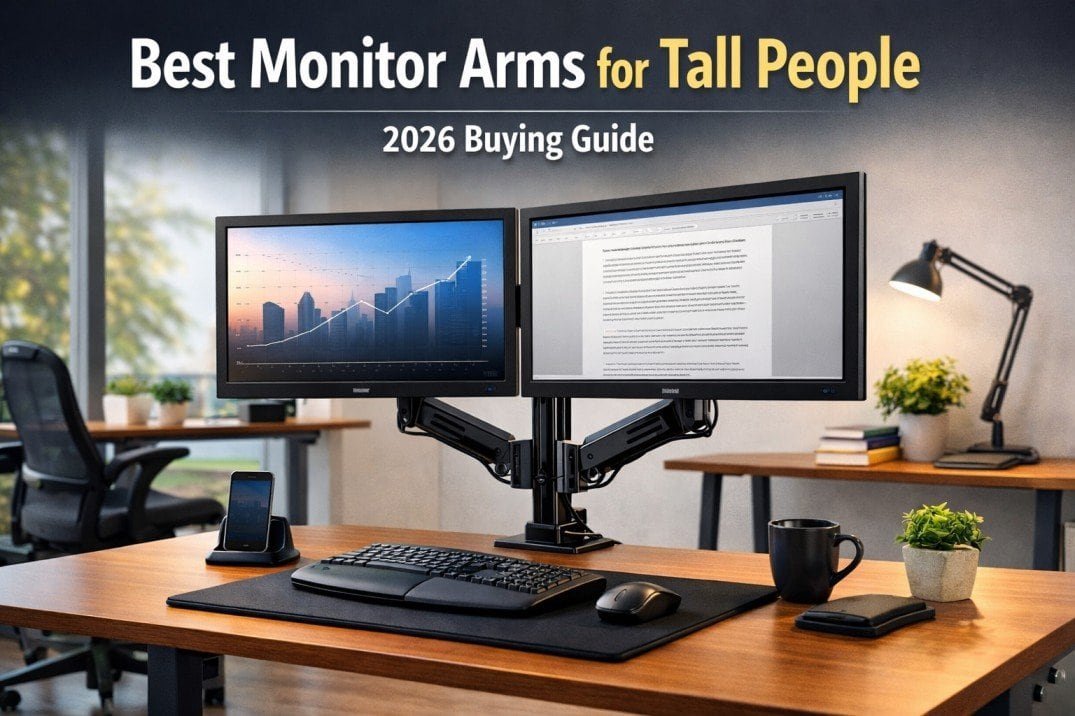
Best monitor arms for tall people are essential for achieving proper screen height, reducing neck strain, and maintaining neutral posture at standing or seated desks. Finding the right monitor height is one of the biggest ergonomic challenges tall people face at desks. Even when a desk and chair are properly sized, monitors often sit too low, forcing tall users into forward head posture and constant neck strain.
This is why monitor arms are not optional accessories for taller users — they are often essential ergonomic tools. A properly chosen monitor arm allows tall users to raise screens to true eye level, maintain proper viewing distance, and reduce strain on the neck, shoulders, and upper back. Monitor arms are among the most important ergonomic accessories for tall people, especially for those working long hours at desks.
This guide reviews the best monitor arms for tall people, explains what height ranges actually matter for taller users, and shows how to choose a monitor arm that works with both sitting and standing desk setups.
Why Tall People Need Monitor Arms (Not Monitor Stands)
For tall users, the best monitor arms for tall people provide extended vertical adjustment that standard monitor stands cannot offer. Most monitor stands are designed for average-height users and provide limited vertical adjustment. For tall people, this creates a persistent height mismatch that no amount of chair or desk adjustment can fully solve.
When monitors sit too low, tall users are forced to tilt the head downward or lean forward to maintain visibility. Over time, this leads to neck stiffness, shoulder tension, and upper back fatigue.
Poor screen height is one of the primary contributors to neck and upper back pain for tall people, especially during long desk sessions.
Monitor arms solve this problem by allowing:
• True eye-level screen positioning
• Adjustable viewing distance
• Improved desk depth usage
• Flexible transitions between sitting and standing
Key Features Tall Users Should Look for in a Monitor Arm
Vertical Height Range (Most Important)
For tall users, the advertised “height adjustment” is often misleading. What matters is the maximum vertical reach from the desk surface.
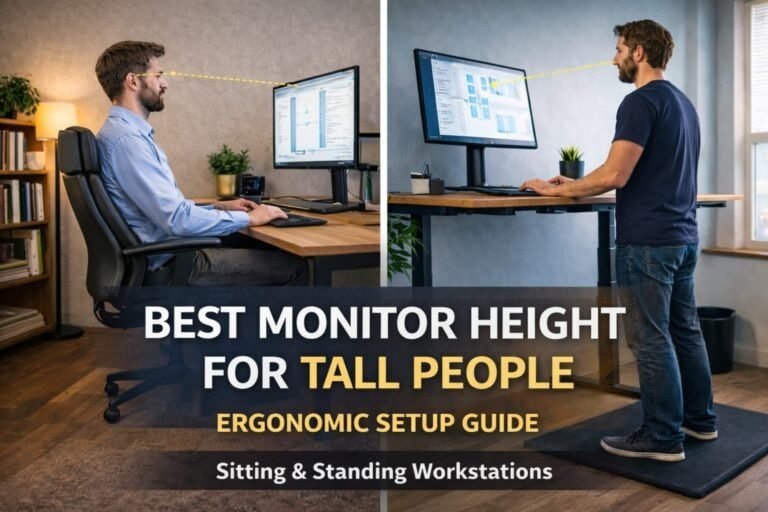
Tall users (6’2” and above) should look for monitor arms that allow the center of the screen to reach at least 18–22 inches above the desk surface, depending on torso length and standing height. Our guide best monitor height for tall people can be helpful to find perfect solution for an individual.
Best Monitor Arm Heights for Users 6’2″, 6’4″, and 6’6″
One of the biggest mistakes tall users make is choosing monitor arms based only on monitor size compatibility. The more important specification is usable vertical height adjustment.
The table below provides general recommendations for taller users:
| User Height | Recommended Monitor Center Height Above Desk |
|---|---|
| 6’2″ (188 cm) | 18–20 inches |
| 6’4″ (193 cm) | 20–22 inches |
| 6’6″ (198 cm) | 22–24 inches |
| 6’8″ (203 cm) | 24+ inches |
These figures are estimates and may vary depending on torso length, chair height, desk height, and whether the user works primarily while sitting or standing.
For the most accurate setup, the top of the monitor should be positioned at or slightly below eye level while maintaining a neutral head position. For more information please check our guide Best Monitor Height for Tall People.
Stability at Full Extension
Many monitor arms become unstable or sag when extended to their maximum height. This is especially problematic for tall users who rely on the upper end of the adjustment range.
Look for:
• Gas spring or heavy-duty mechanical arms
• High weight capacity (even for lighter monitors)
• Solid desk clamp or grommet mounting
Desk Compatibility and Clamp Clearance
Tall desks are often thicker and may include cable trays or under-desk frames. Ensure the monitor arm clamp:
• Supports thicker desktops
• Clears under-desk structures
• Does not interfere with desk stability
How to Choose the Best Monitor Arm for Tall People
The following monitor arms are well-suited for tall users based on height range, stability, and real-world ergonomic performance.
Quick Recommendations
If you do not want to compare every option, here are the best monitor arm choices based on different needs.
Best Overall Monitor Arm for Tall People
A premium gas-spring monitor arm with at least 20 inches of vertical adjustment is the best overall solution for most users between 6’2″ and 6’6″. These models provide enough height range to keep the top of the screen at eye level while maintaining excellent stability.
Best Monitor Arm for Standing Desks
Tall users who regularly alternate between sitting and standing should prioritize monitor arms with extended vertical travel and smooth adjustment mechanisms. This allows the screen to remain properly aligned as desk height changes throughout the day.
Best Budget Monitor Arm
A reliable mechanical monitor arm can provide sufficient height adjustment for many tall users at a lower price point. While budget models may offer fewer adjustment options, they can still significantly improve monitor positioning compared to fixed stands.
Best Monitor Arm for Users 6’6″ and Taller
Very tall users should focus on maximum vertical extension rather than brand popularity. Monitor arms that provide 22 inches or more of usable height adjustment generally offer the flexibility needed to maintain correct screen positioning for taller body proportions.
Monitor Arms and Desk Depth — Why Distance Matters
Height alone is not enough. Tall users also need adequate viewing distance to avoid leaning forward.
Monitor arms allow screens to be positioned farther back on the desk while maintaining proper height. This is especially important for tall users working with large monitors or dual-screen setups.
Viewing distance issues are often compounded by shallow desks, a problem explained in detail in our guide on desk depth for tall people.
Monitor Arms for Sitting vs Standing Desk Use
Tall users who alternate between sitting and standing benefit significantly from monitor arms that adjust smoothly across height ranges.
When standing, monitors must rise higher than most fixed stands allow. Without proper adjustment, tall users often end up looking down at screens, negating the benefits of standing desks. This is why monitor arms are considered essential companions to standing desks for tall people, rather than optional upgrades.
Common Monitor Arm Mistakes Tall People Should Avoid
- Choosing arms with insufficient vertical range
- Mounting arms too low on shallow desks
- Ignoring weight ratings for large monitors
- Using monitor arms without correcting desk height first
Many of these errors are common standing desk mistakes tall people should avoid, especially when upgrading monitor arms without first confirming proper desk height and depth.
Evidence-Based Ergonomic Perspective
Research in occupational ergonomics consistently shows that monitor height directly affects neck muscle activity and upper-body strain.
According to guidance from the National Institute for Occupational Safety and Health (NIOSH), maintaining neutral head posture and proper viewing distance significantly reduces the risk of neck and shoulder strain during prolonged computer work.
How Much Vertical Travel Does a Tall Person Need?
For average-height users, many monitor arms provide enough adjustment range. Tall users, however, frequently discover that standard monitor arms run out of height before the screen reaches eye level.
As a general guideline:
- Users around 6’0″ often need at least 16–18 inches of vertical adjustment.
- Users around 6’2″ typically benefit from 18–20 inches.
- Users around 6’4″ may require 20–22 inches.
- Users 6’6″ and taller often need 22 inches or more, especially when using standing desks.
This becomes even more important when using large monitors or ultrawide displays, as the physical size of the screen can reduce effective viewing height. Choosing a monitor arm with more vertical adjustment than you currently need helps future-proof your workstation and allows greater flexibility as your setup evolves.
Final Thoughts — Are Monitor Arms Worth It for Tall Users?
For tall people, monitor arms are not cosmetic desk upgrades — they are ergonomic necessities.
When chosen correctly, a monitor arm:
• Restores neutral head posture
• Reduces neck and shoulder strain
• Improves viewing distance
• Completes a properly scaled desk setup
For tall users experiencing discomfort despite a good desk and chair, a monitor arm is often the missing link. Choosing the best monitor arms for tall people along with the best monitor setup ensures long-term comfort by maintaining correct viewing height as desk positions change.